HX-1000EP-4/PW
Gigabit 2-in-1 Network + Power Surge Protector
- Un
- 220 V
- In
- 5 kA
Surge Protectors
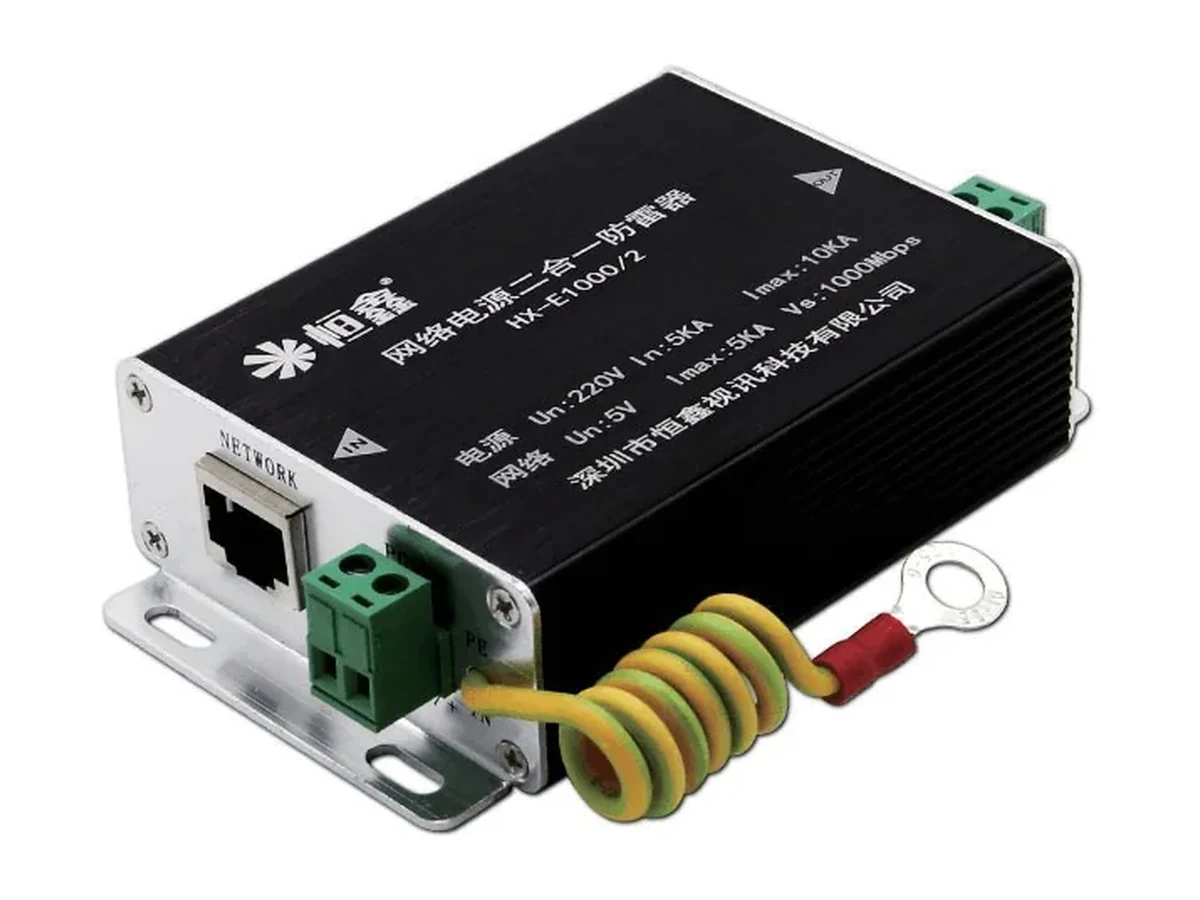
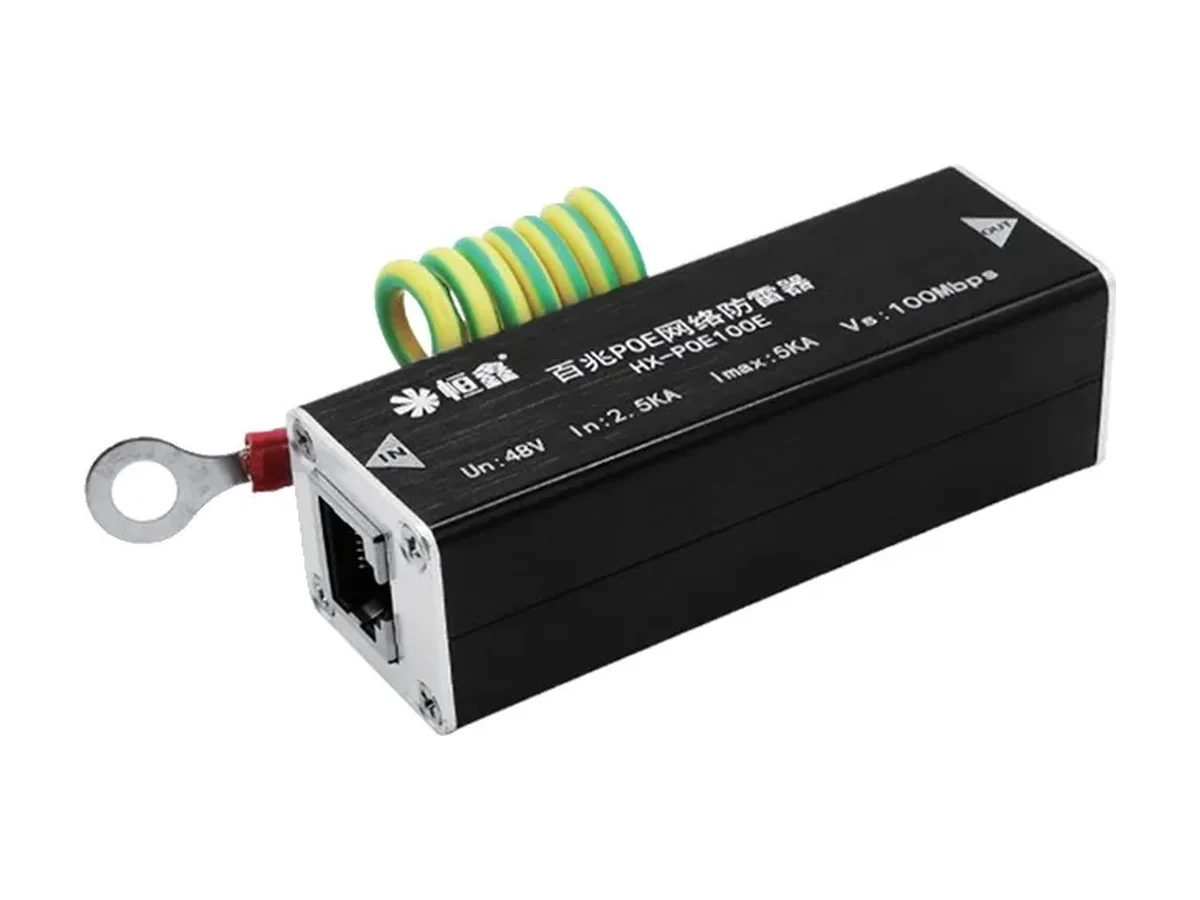
HX-E1000 Gigabit Network Surge Protector — rated 5 V; In 2.5 kA; Imax 5 kA; rated for 10/100/1000 Mbps links; housing 82×25×25 mm. Surge protection device supplied as an OEM/ODM build with custom branding and packaging on request.
HX-E1000OEM/ODM with custom branding, packaging and model numbers available. MOQ and pricing on request.
This unit guards low-voltage data pairs. The specification gives a rated voltage of 5 V with a maximum continuous working voltage of 6 V — the highest steady voltage the component is designed to sit on without conducting.
It is rated for 10/100/1000 Mbps links, so it can be fitted in series with the data pair without dropping the link to a lower speed. Its housing is 82×25×25 mm, which is the number that decides whether it goes on a wall next to the camera, inside a cabinet, or on a DIN rail.
Every figure on this page matches the specification table above. For a tender, ask for the current datasheet before quoting.
Nominal discharge current (In) is 2.5 kA and maximum discharge current (Imax) is 5 kA. The two numbers are not interchangeable: In is the surge current the unit is expected to survive repeatedly over its service life, while Imax is the single-shot ceiling it can take once.
Both are quoted against the standard surge test waveform, an 8/20 µs current impulse. A real lightning strike on an outdoor camera line is not that waveform, which is why surge protection is specified by class and by installation point rather than by a single kA figure.
A protector is a sacrificial component: after a large event it may need replacing even though the equipment behind it survived. That is the design intent — a cheap replaceable part takes the hit instead of the camera or the switch.
At the boundary. The protector belongs at the point where the line enters the building or leaves it — before the protected equipment, on the side facing the surge. Fitting it at the far end of a long run, next to the camera, leaves the whole run exposed upstream.
The earth connection is the part that actually does the work. A surge protector with a long, thin or shared earth lead raises the clamping voltage at the equipment by the voltage drop along that lead, and the protection is only as good as that path. Keep the earth lead short and direct, and bond it to the same earth as the equipment it protects.
The housing measures 82×25×25 mm, so plan the enclosure or rail space before ordering.
Start from the rail being protected — data pair, PoE line or AC supply — then from the exposed length and the exposure of the site. The table compares the family on the four rows that decide the choice.
| Model | Un | Imax | Rate | Size |
|---|---|---|---|---|
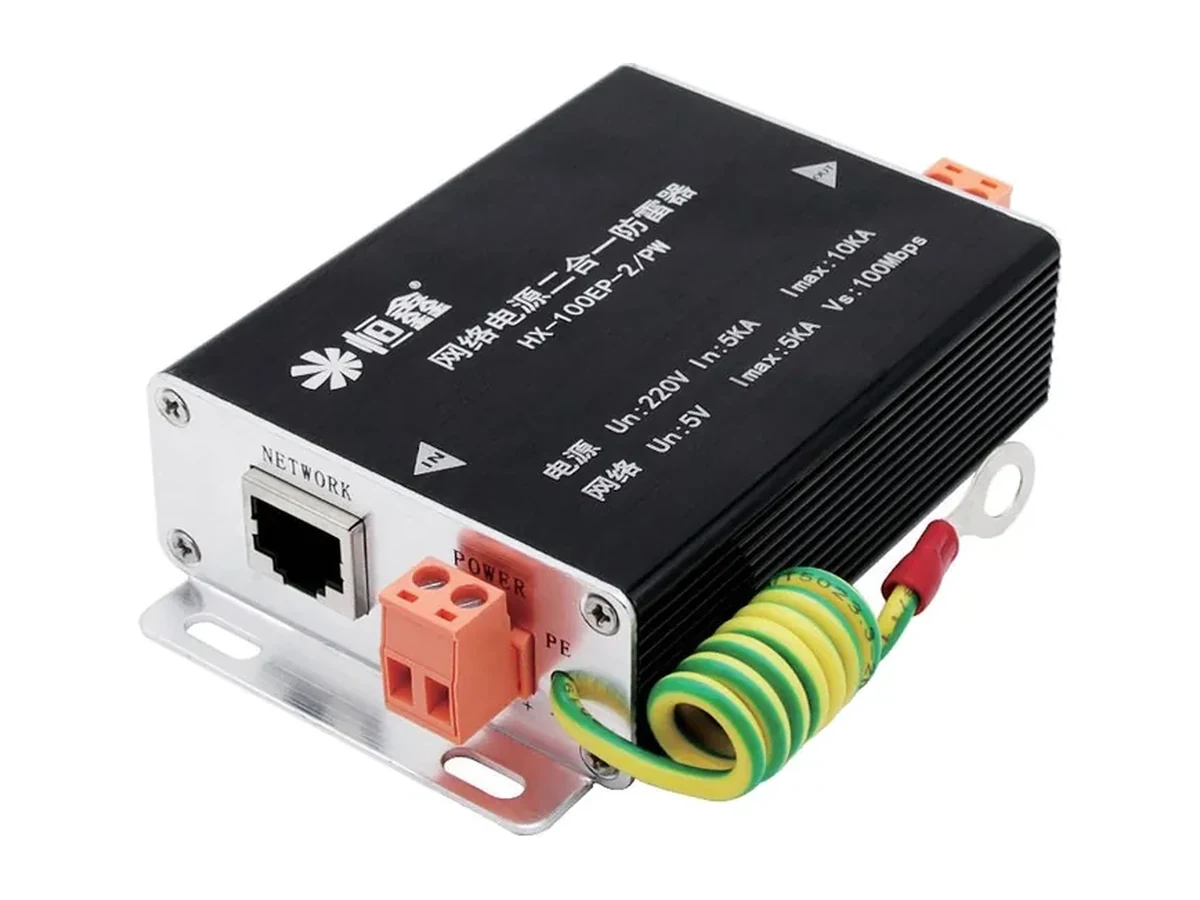
| HX-1000EP-4/PW | 220 V | 10 kA | 10/100/1000 Mbps | 107×65×27 mm |
| HX-100EP-2/PW | 220 V | 10 kA | 10/100 Mbps | 107×65×27 mm |
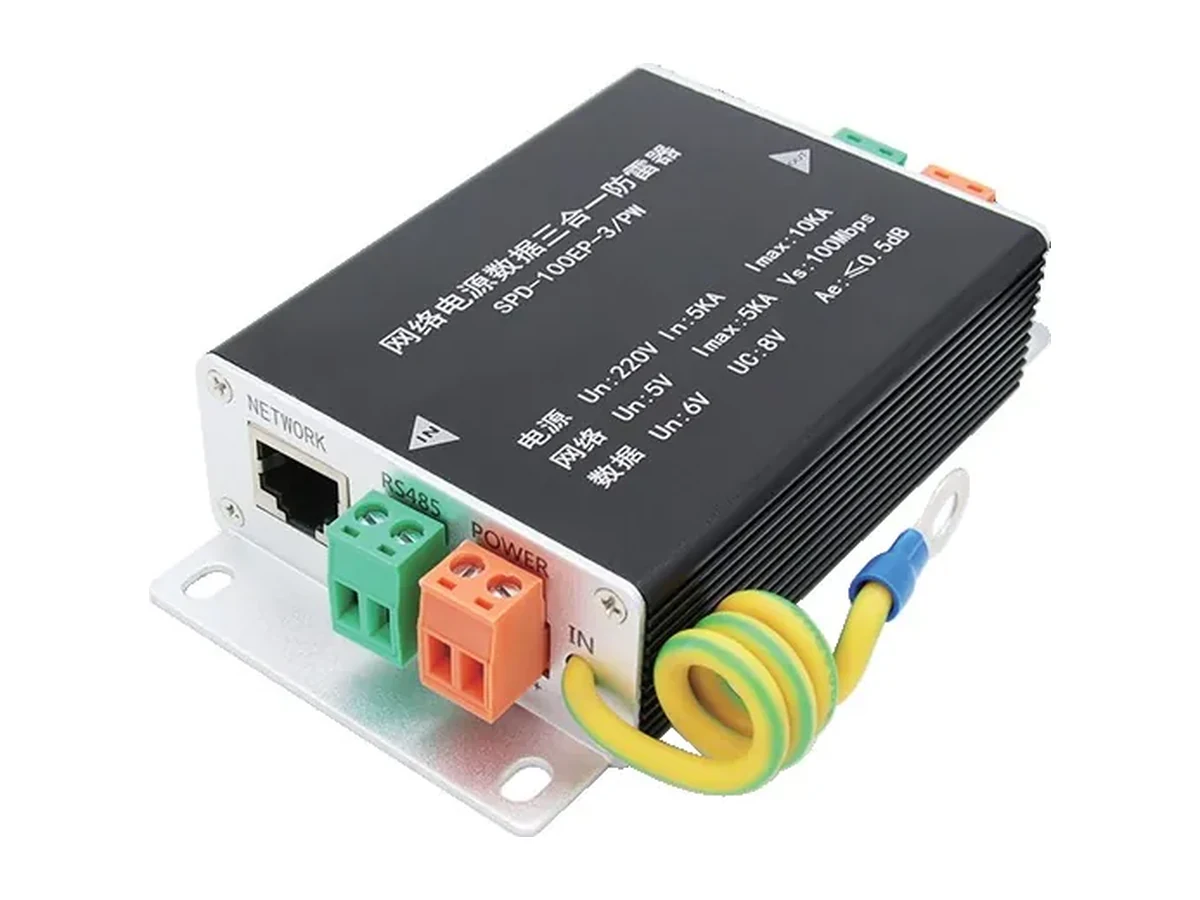
| HX-100EPD-3/PW | 220 V | 10 kA | 10/100 Mbps | 107×65×27 mm |
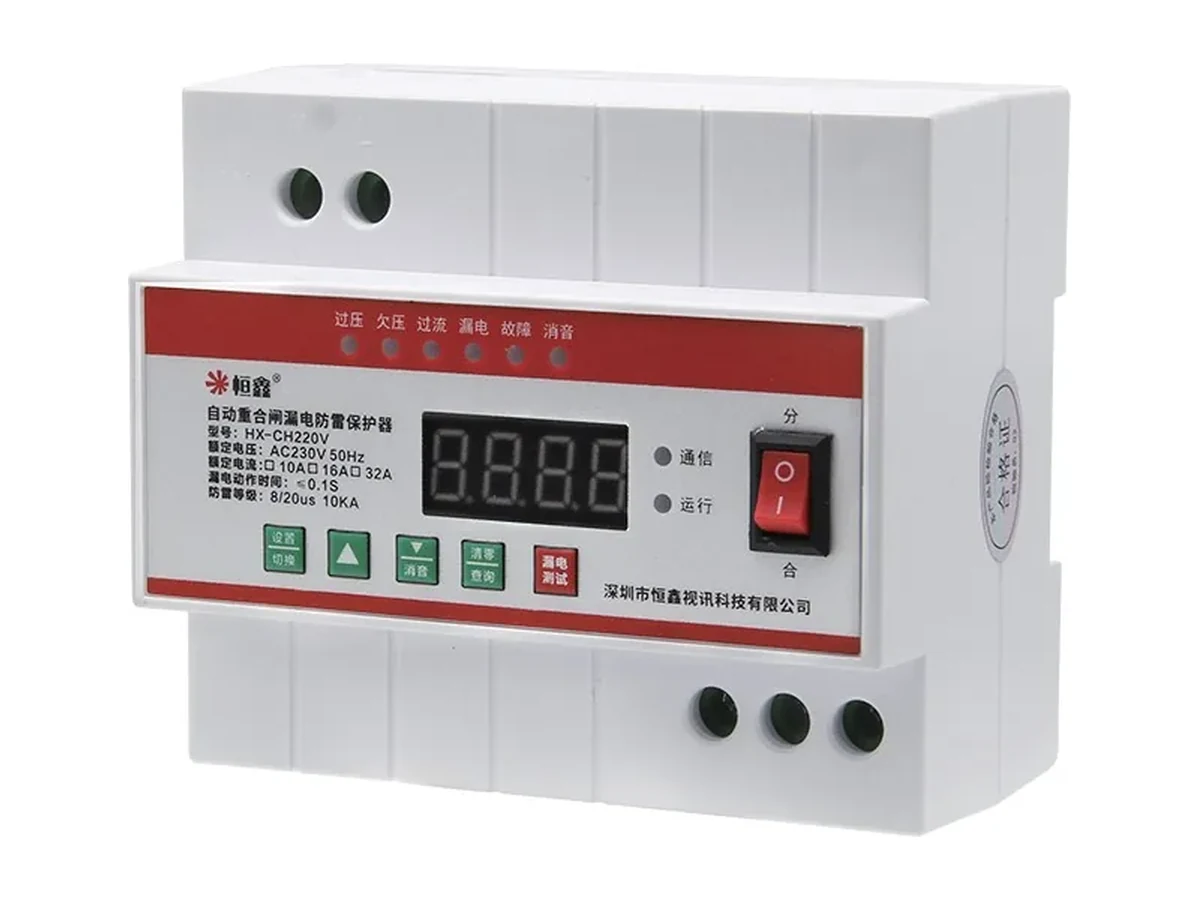
| HX-CH220V/10A | 145–280 V | 10 kA | — | 107×92×70 mm |
| HX-DG20/2P | 220 V | 20 kA | — | 94×65×36 mm |
| HX-DG20/4P | 380 V | 20 kA | — | 94×65×72 mm |
| HX-DG200/2 | 220 V | 10 kA | 10/100 Mbps | 96×66×36 mm |
| HX-DG2000/2 | 220 V | 10 kA | 10/100/1000 Mbps | 96×66×36 mm |
It protects the rail it is rated for: 5 V rated, 6 V continuous. A PoE line sits at 44–57 V, so a unit rated at 5 V is the one to compare against the voltage actually present on the line. Check the Rated Voltage row against the supply before ordering — a data-pair protector on a PoE line is the wrong component even though both use RJ45.
It depends on where the surge enters. One at the building entry protects everything behind it against the bulk of the energy; individual units at the camera end protect against surges induced on the last leg of the run, which a single entry-level device cannot clamp at the far end. Exposed outdoor runs are the case for per-camera protection.
It needs a low-impedance path to the same earth as the protected equipment. A separate, isolated earth electrode creates a potential difference between the two ends of the cable, which is exactly the condition that damages network ports. Bond to the building earth, close to the protector.
The specification rates it for 10/100/1000 Mbps, so it is specified to pass that link speed. Fitting a 100 Mbps protector in front of a gigabit camera caps that camera at 100 Mbps regardless of what the switch supports.
Most of these units carry a status window or are replaced on schedule after a known event. If a site has had a direct strike nearby, replace the protector rather than waiting for a failure — a degraded protector still passes traffic and silently stops clamping.
Specifications for model HX-E1000. Ask for the current datasheet before quoting.